Fat Markers and Object Models
November 27, 2025
I needed to understand an object model — substrates, lenses, lifecycles, metadata. The concepts had been discussed for two days. Decisions had been made. But I couldn’t see how they fit together.
So I grabbed fat markers and paper.
In parallel, I prompted three AI visualization tools with the same concepts. Same inputs. Different tools. Let’s see what each discovers.
The results surprised me. Not because AI tools failed — one produced genuinely elegant output. But because human sketching found things none of the tools could find.
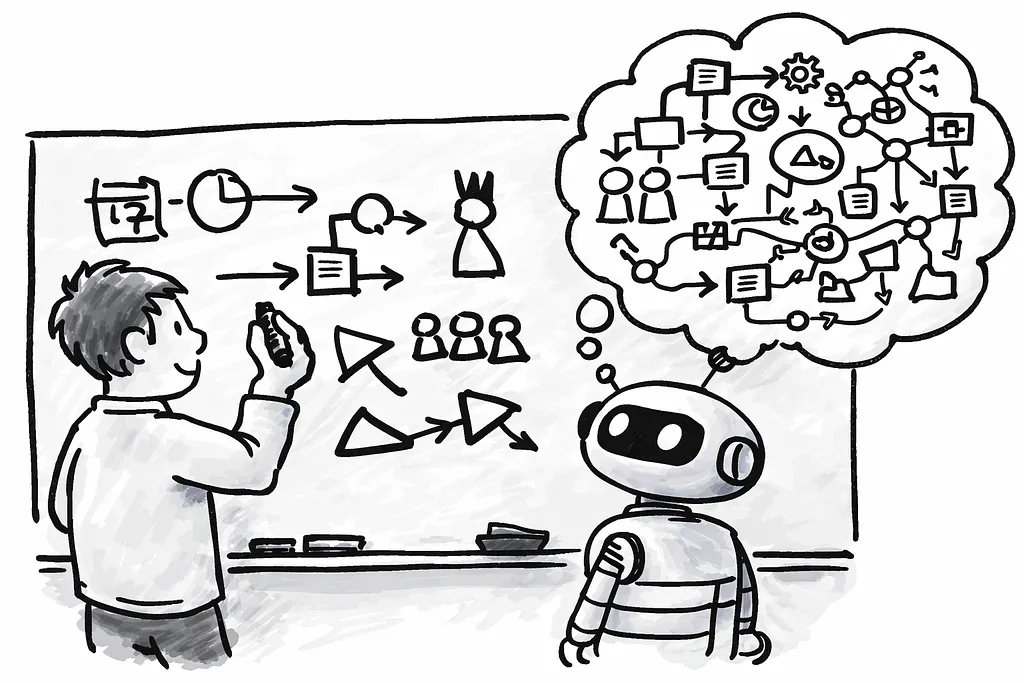
Fat markers and AI tools discover different things. The combination is more powerful than either alone.
The experiment
Seven hand-drawn sketches on paper. Fat markers — the kind that force you to draw big, loose, imprecise.
Three AI tool outputs. Whimsical (diagramming), Eraser.io (technical drawing), and Gemini via Nano Banano (generative visualization).
Same concepts fed to each:
- Four substrates: Entities, Spaces, Moments, Situations
- Eight perceptual lenses
- Object lifecycle with composting stage
- Metadata dimensions
- How Piper understands users
What would each approach reveal?
What AI tools produced
Whimsical: Documentation, not insight. A text outline with connecting lines. Every concept represented as a labeled box. Relationships shown as arrows. Technically correct. Conceptually empty.
The diagram could have been generated from bullet points. It showed hierarchy but not meaning. Structure but not understanding.
Eraser.io: Immediately jumped to database schema. The prompt said “object model” and the tool heard “data model.” Foreign keys. Table relationships. Implementation details.
This might be useful later, for engineering. But it lost all conceptual meaning. “Moment” became a table with columns, not a bounded scene where things happen.
Gemini (Nano Banano): Surprisingly effective. Overlapping colored regions showing how concepts interpenetrate. An elegant spiral for the lifecycle. Visual hierarchy that communicated importance.
This was the only AI output worth keeping. It captured gestalt — the overall shape and feel of the model. Not perfect (don’t look too close!) but directionally useful.

What hand-drawing discovered
The seven sketches found things none of the AI tools found:
Substrates
Situation isn’t a fourth substrate parallel to Entity, Space, and Moment. It’s the frame — the container that holds a configuration of the other three. This changes the model fundamentally. A situation encompasses entities experiencing moments in places.

Moments
The “shoebox” metaphor emerged. Moments are bounded containers — theatrical unities of time and place. Things happen inside them. They have beginnings and endings. The sketch led to “PPP” — Policy, Process, People (plus AI) as what shapes moments.

Lenses × entities
A triangle emerged showing change, flow, and causality as fundamental relationships. And the core grammar crystallized: “Entities experience Moments in Places.” This sentence captures the whole model.

Lifecycle
The shape of the cycle itself carries meaning. Circles imply repetition. Spirals imply progression. Arcs imply completion. The lifecycle diagram shouldn’t just list stages — its shape should communicate the kind of change.

What Piper knows
Drawing what Piper knows about an entity revealed that “Noticed” works better than “Inferred” as language for AI cognition. More human, less mechanical.

Human-centered
Bryce Glass’s Flickr-era pattern work came to mind. The principal sits in a situation. Piper delivers what they need. The sketch connected current work to design history.

Document handling
Piper as document intelligence hub.

Why fat markers matter
Fat markers force generalization.
With a fine pen, you can add detail. You can be precise. You can make something look finished before you’ve figured out what it means.
With a fat marker, precision is impossible. You can’t draw small. You can’t add detail. You have to work at the level of shapes and relationships.
This constraint is productive. It prevents premature refinement. It keeps you working on structure when structure is what you need to understand.
The sketches weren’t pretty. They weren’t presentable. They were thinking tools — ugly and useful.
What each approach is good for
After the experiment, I could see what each approach offers:
AI diagramming tools (Whimsical, Lucidchart, etc.): Good for documentation. Once you know what you’re representing, they produce clean, shareable diagrams. But they don’t help you figure out what you’re representing.
AI code-oriented tools (Eraser.io, Mermaid): Good for technical translation. When you need to move from concepts to implementation, they help bridge the gap. But they assume you’ve already done the conceptual work.
AI generative visualization (Gemini, Midjourney for diagrams): Good for gestalt. They can capture the overall feel, show how things interpenetrate, create visual metaphors. Worth including in the mix.
Human sketching with fat markers: Good for discovery. Finding relationships you didn’t know existed. Challenging your assumptions. Generating new concepts.
The mistake is using one approach for everything. Documentation tools don’t help discovery. Discovery tools don’t produce documentation.
The combination
The best outcome combines approaches:
- Discover with fat markers and paper. Find the relationships. Challenge the structure. Let unexpected insights emerge.
- Capture gestalt with generative AI. Get a visual that communicates the overall shape and feel.
- Document with diagramming tools. Once you know what you’re representing, produce clean shareable versions.
- Translate with technical tools. When it’s time to implement, bridge from concepts to code.
Each tool for its strength. No tool for everything.
What sketching teaches
The sketching session taught me things about my own object model that two days of discussion hadn’t revealed.
Situation as frame, not peer substrate. That changes how I think about everything else. Entities don’t just exist alongside situations — they exist within situations.
“Entities experience Moments in Places.” That sentence emerged from a sketch, not from conversation. The act of drawing forced a synthesis that talking didn’t produce.
Lifecycle shapes as metadata. The spiral versus the circle versus the arc — these aren’t just aesthetic choices. They communicate different kinds of change. The sketch made that visible.
None of these insights were in the AI tool outputs. Not because AI can’t have insights — the Gemini visualization showed genuine understanding of gestalt. But because the insights required me to think, and the AI tools were thinking for me.
Sketching is thinking. Not recording thoughts — generating them.
When to reach for markers
The experiment suggests when fat markers help:
Early conceptual work: When you don’t yet know what you’re building, sketch it. The constraints of fat markers keep you at the right level of abstraction.
Stuck points: When discussion isn’t producing clarity, sketch it. The visual modality often unsticks verbal loops.
Integration challenges: When you have many concepts that need to fit together, sketch their relationships. Paper is patient with uncertainty.
Before using AI tools: Sketch first, then prompt AI tools. You’ll give better prompts because you’ll understand what you’re asking for.
The fat marker isn’t always the right tool, but it’s one of the best things to start with.