November 26
Every setting in your product is an admission that you couldn’t decide. Every preference panel is accumulated indecision. Every “let the user choose” is a question the product team didn’t answer.
Obviously, it’s not wrong to offer settings and to allow people to choose their preferences. Some choices genuinely depend on user context. But far more often, settings are where hard decisions go to hide.
The yoga class principle
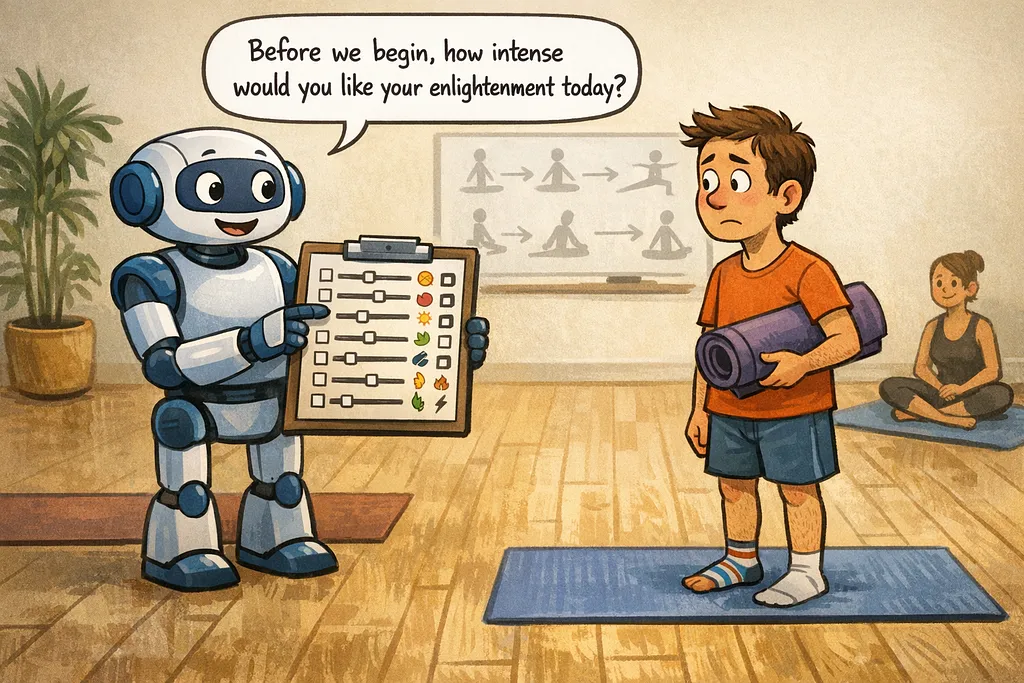
When you walk into a beginner yoga class, the instructor doesn’t hand you a settings panel.
“Welcome! Before we begin, please configure your preferences. Would you prefer hatha, vinyasa, or yin flow? How many sun salutations per session? Ambient sound: nature, singing bowls, or silence? Room temperature range?”
That would be absurd. You’re a beginner. You don’t know what you want. You came to learn from someone who does.
Good yoga instructors have a point of view about what beginners need. They’ve thought about the progression from simple to complex. They’ve seen hundreds of students. They lead with their expertise.
The first class usually focuses on breathing alone. Perhaps a post that involves lying still on your back. That sort of thing. And the class isn’t one-size-fits-all. The instructor adjusts based on who shows up. They don’t outsource the curriculum to preference settings.
Why we add settings
Settings feel user-friendly. “Let the user choose” sounds respectful. It feels democratic, accommodating, flexible.
But trace the decision history behind most settings and you’ll find:
Disagreement on the team: Design wanted A, engineering wanted B, PM couldn’t resolve it. Solution: add a setting, let users pick.
Fear of complaints: “Some users might not like this.” True. But giving everyone a toggle doesn’t solve their problem — it just makes them do your work.
Edge cases mistaken for primary use: A few power users requested a feature. Instead of deciding whether to build it into the main flow, we hid it in settings.
Premature abstraction: “We might need flexibility here someday.” We add settings for possibilities that never materialize.
Avoiding hard research: Finding out what users actually need takes work. Settings let us skip that work and defer to “user choice.”
None of these are about serving users better. They’re about avoiding difficult decisions.
The cost of not deciding
Every setting has costs:
Cognitive load: Users must understand what the setting does, evaluate their preference, make a choice, and remember what they chose. Multiply by the number of settings.
Testing burden: Every setting multiplies test scenarios. Two boolean settings means four combinations. Ten settings with three options each means 59,049 possible configurations. Nobody tests all of them.
Support complexity: “It doesn’t work right.” “What are your settings?” Half of support conversations become archaeology through preference panels.
Design fragmentation: When users can configure everything, there’s no coherent experience to optimize. You can’t improve what you can’t define.
The paradox of choice: Research consistently shows that more options often reduce satisfaction. Users don’t want infinite configuration. They want good defaults.
When is the last time you had to adjust your setting on Zoom? Did you make it back in one piece?
The setting you add to solve one user’s complaint creates ongoing costs for everyone.
What having a point of view means
Having a point of view doesn’t mean being rigid. It means:
Research your users: Know what most of them need. Design for that. Don’t design for imagined edge cases.
Make decisions: When the team disagrees, decide. Document the reasoning. Ship one answer, not a toggle.
Accept that some users won’t like it: This is okay. No product serves everyone perfectly. Trying to please everyone through settings pleases no one.
Provide escape hatches, not control panels: Power users who need different behavior should have ways to get it. But the escape hatch can be small and hidden, not a prominent settings page.
Revisit decisions with evidence: If research or usage data suggests the decision was wrong, change the default. Don’t add a setting.
The yoga instructor adjusts for the room. If everyone is struggling with a pose, they modify the sequence. But they don’t hand out preference forms.
When settings are right
Settings aren’t always abdication. They’re appropriate when:
The preference is genuinely personal: Dark mode vs. light mode. Nobody’s “right” here. Let users choose.
The context varies legitimately: Time zones. Languages. Accessibility needs. These aren’t product decisions — they’re user realities.
Power users have demonstrated needs: After shipping the opinionated default, some users legitimately need different behavior for their specific workflow. Add the setting for them, not preemptively for hypothetical users.
Regulatory or policy requirements: Some industries require certain behaviors. Settings enable compliance.
The test: Could a good product team, with sufficient research, determine the right answer for most users? If yes, make the decision. If no — if the choice genuinely depends on personal preference or context — then a setting is appropriate.
The courage to be opinionated
Building an opinionated product takes courage.
You have to say “we think this is right” knowing some people will disagree. You have to resolve internal debates instead of punting them to users. You have to do the research to know what’s actually needed.
It’s easier to add a setting. It feels safer. It shifts responsibility.
But users don’t want responsibility for your product decisions. They want a product that works well. They want someone who thought about what they need and built accordingly.
The yoga instructor who shows up prepared, who leads with intention, who adjusts based on reading the room — that instructor creates a better experience than one who hands out preference forms.
Products work the same way.
The accumulation problem
Settings accumulate. Each one seems reasonable in isolation. “Just a small toggle.” “Users will appreciate the flexibility.”
Five years later, there’s a settings panel with forty options. Nobody knows what half of them do. Changing any of them might break something. New team members are afraid to touch them.
This is accumulated abdication. Forty decisions the product team didn’t make, now frozen in the interface, creating ongoing costs.
The fix isn’t a settings audit (though that helps). It’s changing the culture that creates settings in the first place.
When someone proposes a new setting, ask: “What decision are we avoiding? Can we make that decision instead?”
Settings as teaching
There’s one more frame worth considering.
Good settings teach users about the product. “You can adjust X” implies X matters. “Choose between A and B” implies A and B produce meaningfully different experiences.
Most settings don’t teach anything useful. They expose implementation details or team disagreements. They tell users “we couldn’t figure this out, so you have to.”
But some settings genuinely expand user understanding. “How much risk are you comfortable with?” teaches that risk tolerance matters. “How far in advance should we remind you?” teaches that timing affects usefulness.
If a setting helps users think about something they wouldn’t have considered, it might be worth including. If it just exposes a dial, it’s probably abdication.
The principle
Every time you’re tempted to add a setting, ask:
- What decision am I avoiding?
- Could research tell me the right answer for most users?
- What’s the ongoing cost of this setting?
- Would a good yoga instructor ask beginners this question?
If you can make the decision, make it. Document your reasoning. Ship the opinionated choice.
Accept that some users won’t like it. That’s the price of having a point of view.
The alternative — a product that doesn’t know what it thinks, that outsources every hard choice to preference panels, that dies by a thousand toggles — serves nobody well.
Settings aren’t user-friendly. Decisions are.