January 12, 2026
It was release day. January 12th, v0.8.4 of Piper Morgan was live. We’d just completed Sprint B1 — six days of work, 23 issues closed, a new calendar integration, improved intent classification, and a cleaner codebase.
Then one of our alpha testers (me) reported a bug.
“The standup says I have no projects. But I just finished onboarding my portfolio.”
Portfolio onboarding
Piper Morgan has a portfolio onboarding flow. You tell the assistant about your projects — what you’re working on, what matters, what’s blocked. This context helps the Morning Standup feature give you relevant suggestions.
The onboarding worked perfectly. You could add projects. They were saved to the database. If you asked “what projects do I have?” the system would tell you. Everything passed our tests.
But when you asked for a standup? “I don’t see any projects in your portfolio yet.”
The investigation
The Lead Developer dug in at 9:30 PM. Here’s what they found:
Portfolio onboarding stored projects in the projects table using ProjectRepository. This worked correctly. The data was there.
Morning Standup asked UserContextService what projects the user had. UserContextService checked two places: the user’s preferences and the PIPER.md configuration file.
It never checked the database.
The storage worked. The retrieval worked. They just weren’t connected to each other.
The anti-pattern
We’ve started calling this the 75% Trap. It’s a failure mode that seems to emerge specifically from AI-assisted development.
Here’s how it happens: You ask an AI to build Feature A. It builds Feature A beautifully — clean code, good tests, proper error handling. You ask it to build Feature B. Same thing. Beautiful work.
But Feature A stores data that Feature B needs to consume. And unless someone explicitly connects them, they won’t be connected. The AI built exactly what you asked for. You just didn’t ask for the connection (or you did but it forgot.)
This is different from traditional bugs. Traditional bugs are things that don’t work. The 75% Trap is things that do work — just not together.
Our tests passed because we tested each piece in isolation. Portfolio onboarding: ✓ stores projects. UserContextService: ✓ returns user context. Neither test knew the other existed.
Why AI makes this worse
Human developers carry mental models across features. A developer who built the portfolio onboarding would probably remember, three weeks later when building the standup feature, “oh right, projects are in that table I created.”
AI assistants don’t have that continuity. Each conversation, each feature, each file is somewhat isolated. They’re excellent at building the thing you’re looking at. They’re less reliable at remembering the thing you built last month.
This isn’t a criticism — it’s a characteristic. Understanding it lets you design around it.
The simple fix
The fix itself was simple. One line of real change: make UserContextService query the database directly instead of only checking preferences.
The investigation took longer than the fix. That’s usually how it goes with 75% Trap bugs — the problem isn’t that the code is hard to write, it’s that the disconnection is hard to see.
By 10:30 PM, the fix was committed. By the next morning, our tester confirmed: standup now sees their projects.
What we learned
1. Test the user journey, not just the components.
Our unit tests were green. Our integration tests were green. But we didn’t have a test that said “onboard a portfolio, then request a standup, and verify the standup knows about the portfolio.” That’s the test that would have caught this.
2. AI-assisted development needs explicit connection reviews.
When you build a new feature, ask: “What other features need to know about this?” When you build something that consumes data, ask: “Where does this data actually come from?” These questions feel obvious. They’re easy to skip when the code looks so complete.
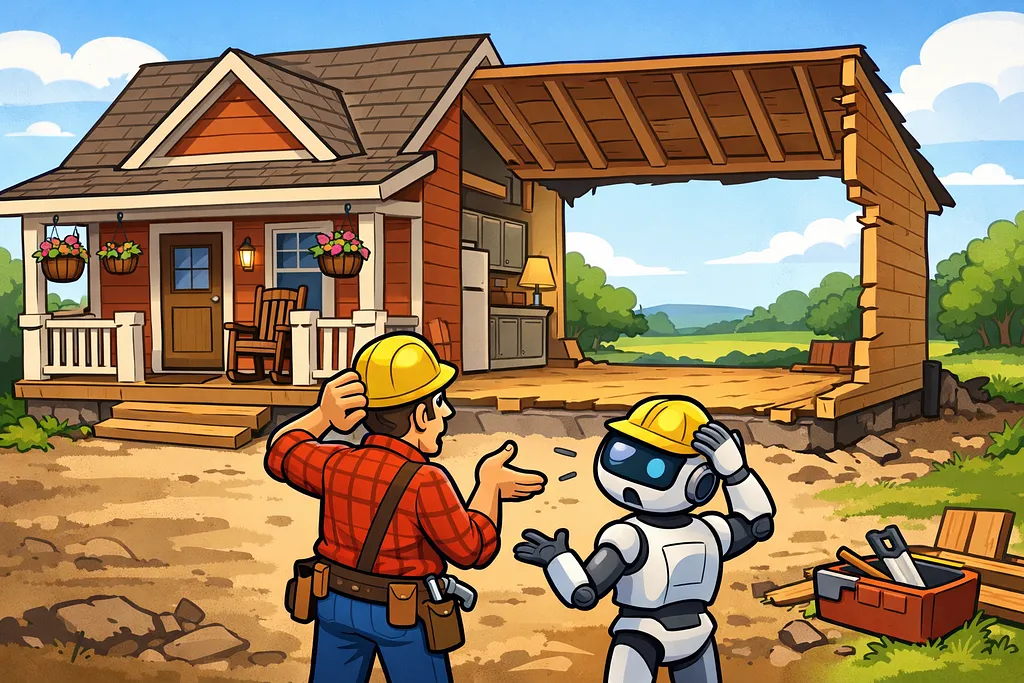
3. The house can look finished from the front.
Our alpha tester saw a beautiful front porch — portfolio onboarding that worked, a standup feature that ran. They couldn’t see that the back wall was missing.
The 75% Trap isn’t about incomplete work. It’s about work that looks complete because each piece functions correctly in isolation. The incompleteness is in the connections, not the components.
The broader lesson
We’ve been building Piper Morgan for seven months now, mostly with AI assistance. The 75% Trap is probably our most common failure mode.
It shows up as:
- Features that store data nothing reads
- APIs that exist but aren’t called
- Configuration options that aren’t wired to behavior
- Error handlers that catch exceptions but don’t surface them to users
Every time, the individual pieces work. Every time, we passed our tests. Every time, the actual user experience was broken.
The fix isn’t to stop using AI. The fix is to understand that AI excels at building components and struggles with connections. So you build the connections into your process:
- Explicit “integration review” steps in your workflow
- End-to-end tests that trace real user journeys
- The question “what consumes this?” asked at every data storage point
- The question “where does this come from?” asked at every data retrieval point
We’re getting better at catching these. Bug #582 was found and fixed within twelve hours of release. Six months ago, it might have lingered for weeks.
But we’re not fooling ourselves. There’s probably another 75% Trap bug hiding in the codebase right now, waiting for a user to walk around to the back of the house.